


In short
Avanan vs Proofpoint comes down to how each is deployed and packaged. Check Point Email Security, formerly Avanan, connects by API with no MX change and inspects mail after the native filter, covering collaboration apps in the same product. Proofpoint offers API and secure email gateway deployments for its enterprise Core Email Protection, and Proofpoint Essentials as a gateway for smaller organisations. Forever Systems, a Check Point Advanced Partner, can quote either.
Want an impartial recommendation?
Tell us about your users, systems and priorities and we will tell you which option fits, and why.
The short answer
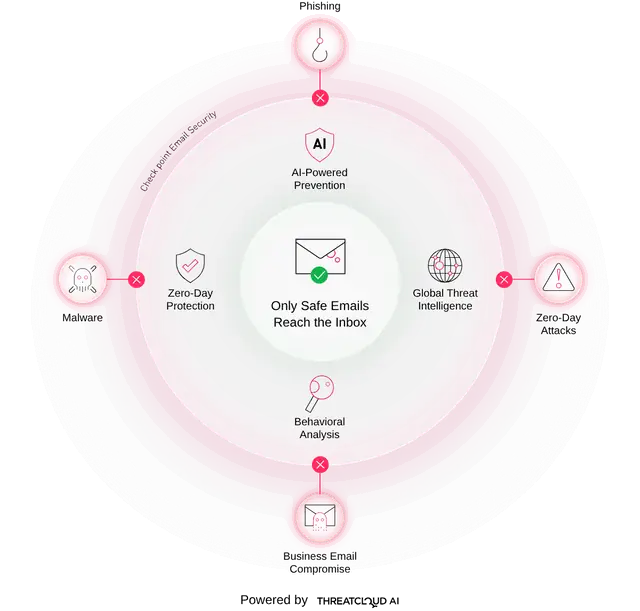
Avanan is now Check Point Email Security, which many people still call Harmony Email and Collaboration. It was designed as an API-based layer inside the Microsoft 365 or Google Workspace tenant, and Check Point extends the same product to file-sharing and messaging apps.
Proofpoint is best known for its secure email gateway. Its enterprise product, Proofpoint Core Email Protection, now offers both API and gateway deployments, and Proofpoint sells Proofpoint Essentials, a gateway product, for small and mid-sized businesses. The choice comes down to how you want mail to flow, which apps you want covered, and how you prefer to buy the wider range.
Deployment: API inside the tenant, gateway in front, or both
Check Point Email Security connects by API, with no MX change. Microsoft's or Google's own filter runs first, then Check Point inspects each message, internal mail between your users included, before it reaches the inbox. Enforcement runs from monitor mode through to inline prevention, so you can trial it without touching mail flow.
Proofpoint Core Email Protection offers three routes on Proofpoint's current product page:
- API: connects through Microsoft Graph API, with no MX change
- Secure email gateway (SEG): mail passes through Proofpoint before it reaches your mail service, so threats are blocked before delivery
- Both: Proofpoint says it unifies detection, learning and investigation across its SEG and API deployments, including internal mail
Proofpoint Essentials is a gateway: you point your MX records at Proofpoint. For an organisation that wants pre-delivery blocking at the perimeter, that is a strength of the Proofpoint range; for one that wants no change to mail flow, Check Point's API model is the simpler start.
Feature comparison
| Check Point Email Security (Avanan) | Proofpoint | |
|---|---|---|
| Deployment | API, after the native filter, no MX change | Core Email Protection: API, gateway or both; Essentials: gateway |
| Mail platforms | Microsoft 365 and Google Workspace | Microsoft 365 and Google Workspace (Core Email Protection) |
| Internal mail inspection | Yes | Yes, across Proofpoint's SEG and API deployments |
| Collaboration apps | Teams, SharePoint, OneDrive, Google Drive, Slack, Box, Dropbox, ShareFile (Email & Collaboration coverage) | Messaging tools such as Teams and Slack from the Tier 2 package |
| Attachment sanitisation (CDR) | Yes, in both tiers | Confirmed at quote for the package |
| DLP and encryption | DLP in the Complete Protect tier, with encryption as a policy action | Essentials: DLP in every package, encryption from Advanced; Core packages confirmed at quote |
| Archiving | Archiving add-on, up to 10 years | Essentials Professional packages include an archive with ten-year retention |
| DMARC (opens in a new tab) | DMARC Management add-on | Hosted DMARC, DKIM and SPF in the Prime package |
| Awareness training | Security Awareness Training add-on with AI phishing simulations | Threat-guided training and simulations from the Tier 3 package |
| Handling user-reported email | Incident Response as a Service add-on, with Check Point analysts | Satori Abuse Mailbox Agent, Proofpoint's automated handling of user-reported email |
| Wider platform | Check Point Portal with endpoint, mobile, browser, SASE (opens in a new tab) and network security | Proofpoint's email, collaboration, data and AI security range |
Sources (checked 22 November 2026): Check Point details are from its Email Security plans page and admin guide; Proofpoint details from its Core Email Protection page, its Collaboration Security package comparison and its Proofpoint Essentials solution brief. Capabilities differ by edition, so we confirm the edition at quote. We have left out detection-rate claims from both vendors.
Still not sure which way to go? Ask us
Tell us what matters most to you and we will recommend one, with the trade-offs explained.
Where Check Point Email Security is strong
- No change to mail flow: the API connection means no MX records to move and no gateway to route around
- Collaboration apps in one product: the Email & Collaboration coverage extends the same protection to Teams, SharePoint, OneDrive, Google Drive, Slack, Box, Dropbox and ShareFile
- Attachment sanitisation in both tiers: files can be cleaned of active content before users open them
- One console with other Check Point products: Harmony Endpoint, Harmony Mobile, Harmony Browse and Check Point SASE sit in the same Check Point Portal
- Add-ons when you need them: Archiving, DMARC Management, Security Awareness Training and Incident Response as a Service
Where Proofpoint is strong
- A choice of gateway, API or both with Core Email Protection, so mail can be blocked before delivery as well as in the mailbox
- Packages that grow in steps: Proofpoint's Core, Tier 2, Tier 3 and Prime packages add account takeover, messaging, training and domain protection in turn
- Domain protection in Prime: hosted DMARC, DKIM and SPF, lookalike domain detection and protection for application-generated email
- A gateway product for smaller organisations: Proofpoint Essentials, with an emergency inbox in every package and an archive in its Professional packages
Weighing up the options?
We can compare them against your own requirements and recommend what fits.
Which suits whom
| If you... | Lean towards |
|---|---|
| Want protection with no MX change, and a trial in monitor mode on your own mail | Check Point Email Security |
| Use several file-sharing and messaging apps alongside Microsoft 365 or Google Workspace | Check Point Email Security |
| Already run Check Point endpoint, mobile, SASE or firewalls and want one portal | Check Point Email Security |
| Want a gateway that blocks mail before it reaches your mail service | Proofpoint |
| Want hosted DMARC and lookalike domain protection in the same email package | Proofpoint Prime |
The fairest test is a side-by-side trial on your own mail. Check Point Email Security can run in monitor mode beside an existing gateway, so a trial needs no mail-flow change. See Check Point Email Security plans for the two tiers and their coverage.
How we help
Forever Systems, a Check Point Advanced Partner, can quote Check Point Email Security and the Proofpoint range, so we can compare them against your mail platform, apps and renewal plans and set out what each would cost you. Contact us to arrange a trial or a side-by-side quote, and see our email security guide (opens in a new tab) for the wider picture.
How Forever Systems supplies and supports Check Point Harmony
We supply and support the Check Point Harmony suite, now marketed mainly as Check Point Workspace Security: from a single product to endpoint, email, SaaS, mobile, browser and SASE together, with Check Point MDR if you want round-the-clock cover.
- Scoping and licensing: the right products, editions and plans for your users, devices and risk, and a clear view of what the old Harmony names now mean
- Proof of value: trial deployments that show what Harmony finds in your own mailboxes, devices and traffic
- Deployment: endpoint agents and policies, the Microsoft 365 or Google Workspace connection, mobile roll-out through your MDM, browser extensions and SASE access policies
- Migration: moving from another endpoint, email or VPN product, or from Harmony Connect to Harmony SASE
- Ongoing support: policy tuning, alert triage, upgrades and renewals, managed in the Check Point Portal
Forever Systems is a Check Point Advanced Partner and Check Point MSP Partner, so we can scope, license and run the Harmony products that fit your organisation.
Frequently asked questions
Is Avanan better than Proofpoint?
Neither is better for everyone. Avanan, now Check Point Email Security, suits organisations that want API protection with no MX change and broad collaboration app coverage in one product. Proofpoint suits organisations that want a gateway in front of their mail, or gateway and API together, and its higher packages add domain protection. A side-by-side trial on your own mail shows the difference.
What is the difference between Check Point email security and Proofpoint?
Check Point Email Security connects to Microsoft 365 or Google Workspace by API and inspects mail after the native filter, with no MX change. Proofpoint Core Email Protection can be deployed by API, as a secure email gateway in front of your mail service, or both, and Proofpoint Essentials is a gateway for smaller organisations.
Does Proofpoint need an MX record change?
Its gateway deployments do, because mail passes through Proofpoint first. Proofpoint Core Email Protection can also be deployed through Microsoft Graph API, which needs no MX change.
Can I move from Proofpoint to Check Point Email Security?
Yes. Check Point Email Security can run in monitor mode alongside a Proofpoint gateway, then switch to inline prevention before MX records are pointed back at Microsoft or Google. Plan any archive export and DNS changes, including SPF and DMARC, before the cut-over.
Can you quote both Check Point and Proofpoint?
Yes. We can quote Check Point Email Security and the Proofpoint range, and compare them for your mail platform, apps and renewal date.
Still deciding?
Ask us and a member of our team will get back to you.
Explore Check Point Harmony
 Harmony Email and CollaborationAPI-based email and collaboration security for Microsoft 365 and Google Workspace.
 Plans comparedEmail Only or Email & Collaboration, Advanced Protect or Complete Protect.


